

If you use an Excel file as a source in Power BI
- Upload the Excel file to OneDrive

 Microsoft OneDrive is a file hosting service from Microsoft. From our point of view the best cloud storage on the market! Here you can find helpful tips and help with Microsoft OneDrive: OneDrive help and tips You can find the official Microsoft help page here: https://support.microsoft.com/de-de/onedrive mehr erfahren or SharePoint

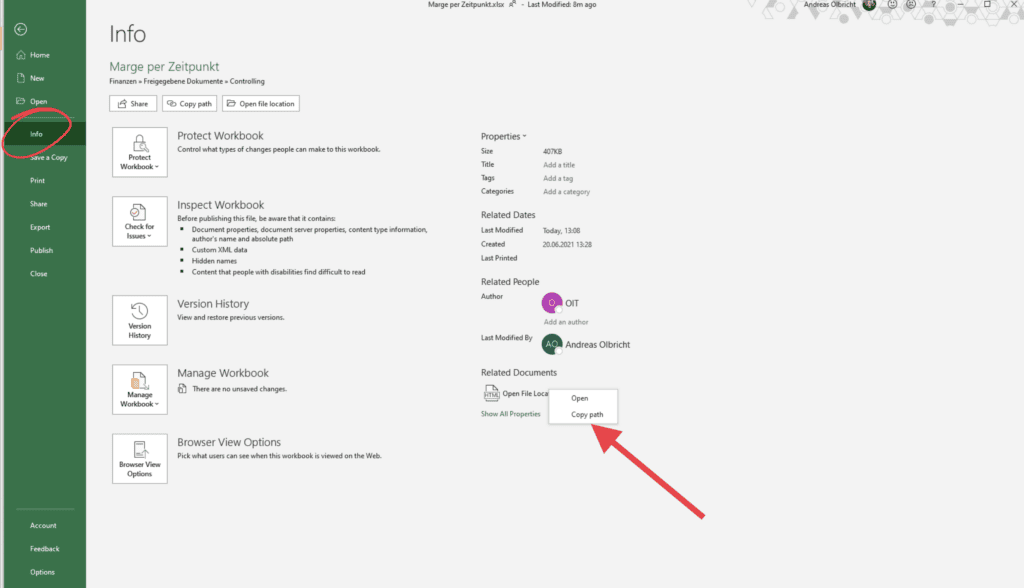
Get the path of the Excel file

2. Do the following in Power BI


In Power BI choose Transform Data 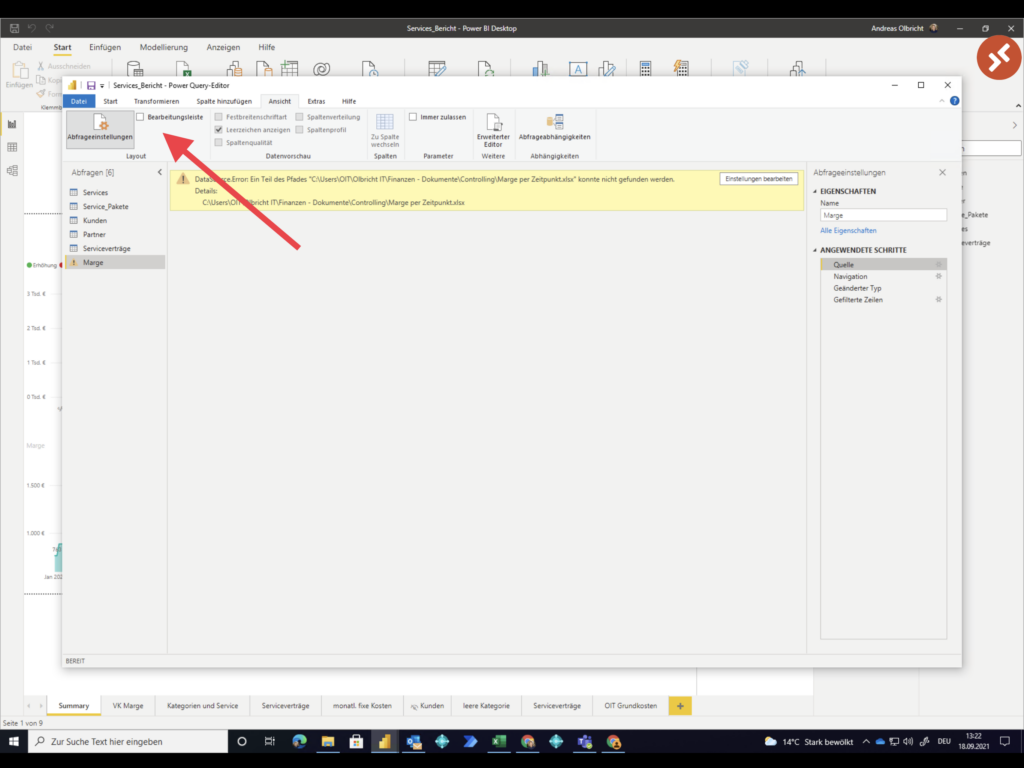

Show the formula bar 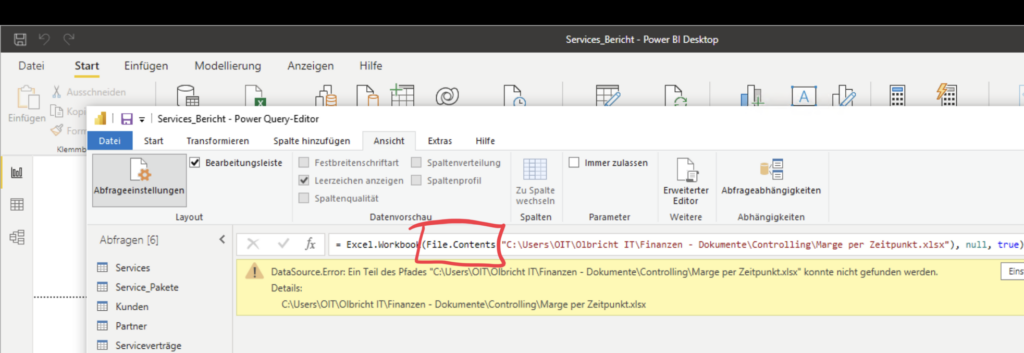

Change File.Contents to Web.Contents and paste the copied path 
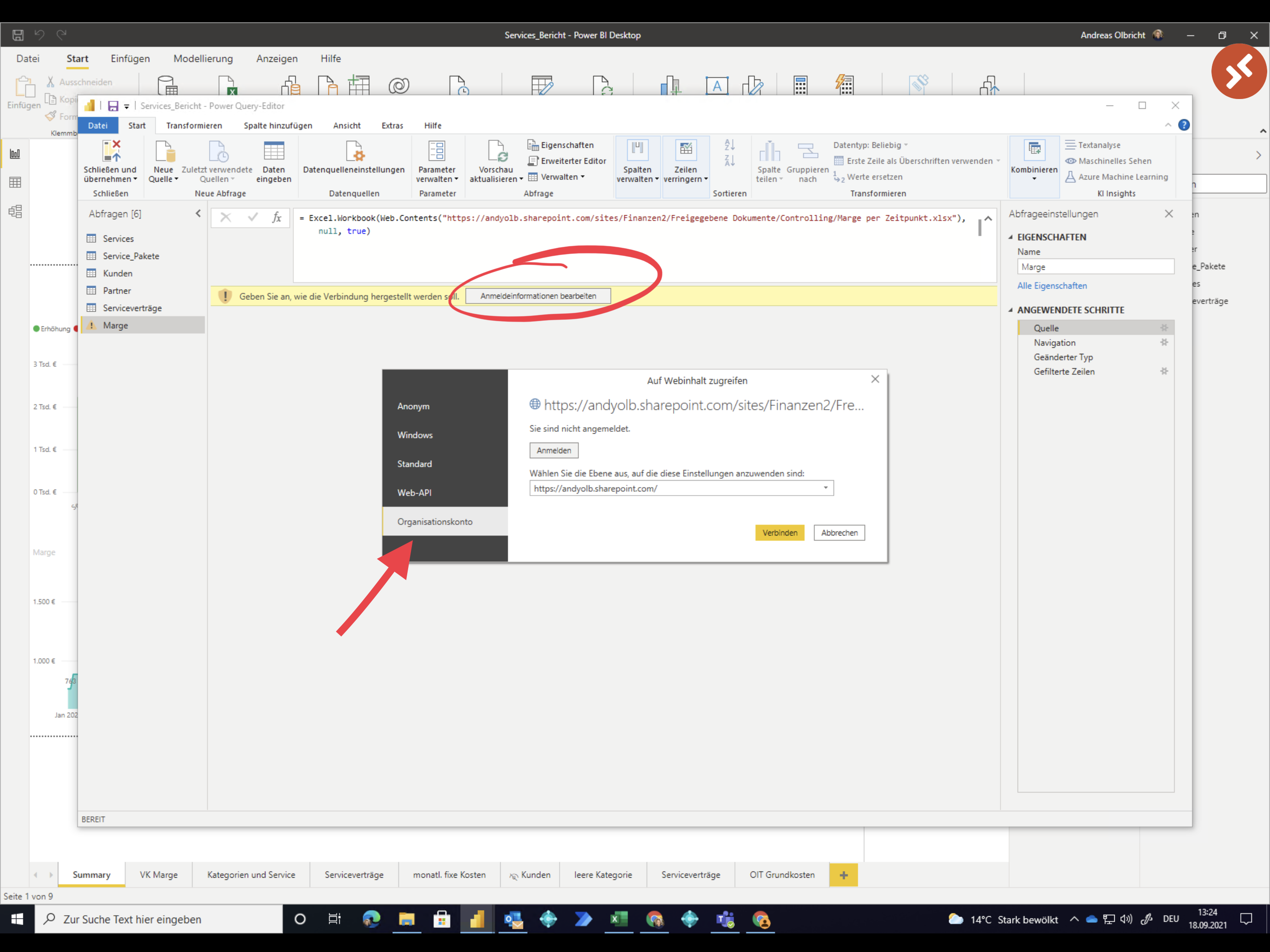
Log in to access the cloud file
Dieser Beitrag ist auch verfügbar auf:  Deutsch (German)
Leave a Reply